> For the complete documentation index, see [llms.txt](https://docs.parallels.cn/llms.txt). Markdown versions of documentation pages are available by appending `.md` to page URLs; this page is available as [Markdown](https://docs.parallels.cn/pdfm-20-ug-zh_cn/parallels-desktop-for-mac-20-yong-hu-zhi-nan/parallels-desktop-pian-hao-she-zhi-he-xu-ni-ji-she-zhi/parallels-desktop-pian-hao-she-zhi/parallels-toolbox.md).
# Parallels Toolbox
**Parallels Desktop** 客户可以免费订阅 **Parallels Toolbox**。Parallels Toolbox 是一系列大大简化日常任务的工具。
{% hint style="info" %}
**注意**:**Parallels Desktop** App Store Edition 不附赠 **Parallels Toolbox** 订阅。要详细了解 Standard Edition 与 App Store Edition 之间的区别,请点击此[链接](https://kb.parallels.cn/123796)。
{% endhint %}
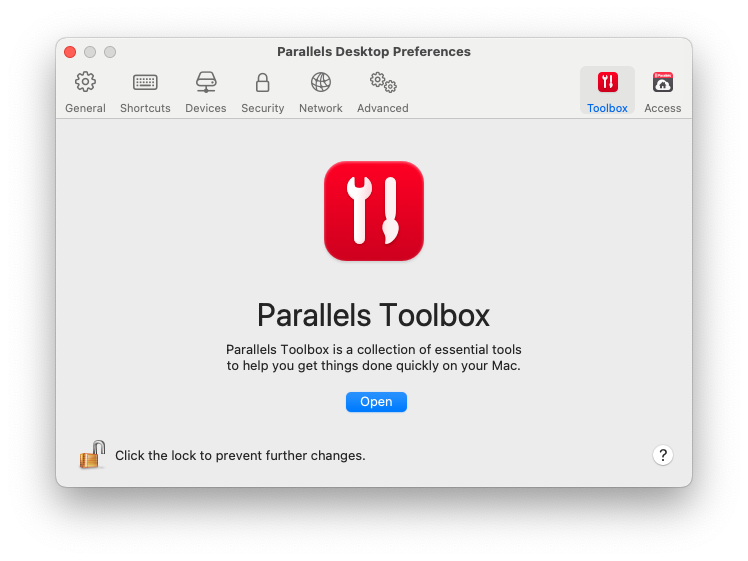
通过\*\*“Toolbox”**选项卡,可以在 Mac 上安装 Parallels Toolbox 代理。要打开此选项卡,请依次选择**“Parallels Desktop”**和**“偏好设置”**,然后单击**“Toolbox”\*\*。
如果尚未安装 Parallels Toolbox,请单击\*\*“安装”**。如果已安装 Parallels Toolbox,请单击**“打开”\*\*,以打开整个工具列表。
借助 Parallels Toolbox,只需单击一下,即可执行许多任务:
* 从 Internet 下载视频;
* 截取屏幕截图;
* 录制屏幕;
* 录制音频;
* 静音麦克风;
* 禁用摄像头;
* 等等...
要详细了解 Parallels Toolbox,请参阅 Parallels Toolbox [网页](https://www.parallels.cn/products/toolbox/)。
---
# Agent Instructions
This documentation is published with GitBook. GitBook is the documentation platform designed so that both humans and AI agents can read, navigate, and reason over technical content effectively. Learn more at gitbook.com.
## Querying This Documentation
If you need additional information that is not directly available in this page, you can query the documentation dynamically by asking a question.
Perform an HTTP GET request on the current page URL with the `ask` query parameter, and the optional `goal` query parameter:
```
GET https://docs.parallels.cn/pdfm-20-ug-zh_cn/parallels-desktop-for-mac-20-yong-hu-zhi-nan/parallels-desktop-pian-hao-she-zhi-he-xu-ni-ji-she-zhi/parallels-desktop-pian-hao-she-zhi/parallels-toolbox.md?ask=&goal=
```
`ask` is the immediate question: it should be specific, self-contained, and written in natural language.
`goal` is optional and describes the broader end goal you are ultimately trying to accomplish on behalf of the user. GitBook uses it to tailor the answer towards what is most useful for that goal.
The response will contain a direct answer to the question and relevant excerpts and sources from the documentation.
Use this mechanism when the answer is not explicitly present in the current page, you need clarification or additional context, or you want to retrieve related documentation sections.